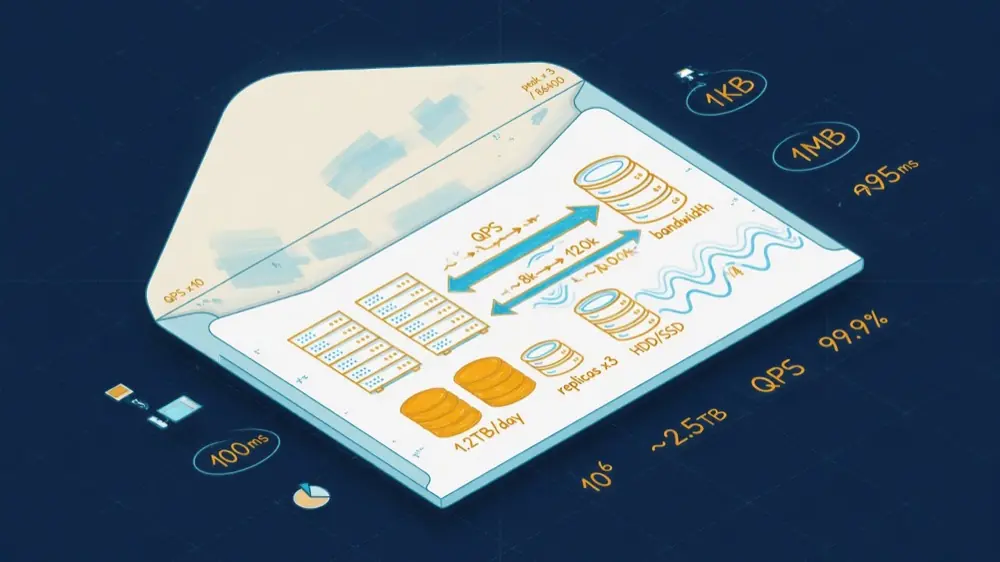
TL;DR
- The Problem: Design discussions stall on adjectives ("lots of traffic," "big files") because nobody has turned them into numbers. Without numbers, you cannot tell whether you need one database or a hundred, or whether images can be served from your own servers.
- The Method: Memorize a few constants (a day is about 10^5 seconds, powers of two, rough latencies), then run five recipes: queries per second, storage, bandwidth, cache size and server count. Round aggressively, state every assumption, and stop as soon as the numbers make a decision obvious.
- The Result: In five minutes you know which part of the system is hard. In the worked example below, the math shows that images must go through a CDN and object storage long before you draw a single box.
Estimation is not about being right. It is about being right within a factor of a few, quickly, so that the design conversation can focus on the part that matters.
A system that needs 50 writes per second and one that needs 50,000 are different systems. A dataset of 50 GB fits in RAM; 50 TB does not. You do not need precision to tell those apart. You need the order of magnitude and the discipline to write it down.
Constants Worth Memorizing
Time
| Quantity | Approximate value |
|---|---|
| Seconds in a day | 86,400, treat as 10^5 |
| Seconds in a month | ~2.6 million, treat as 2.5 x 10^6 |
| Seconds in a year | ~31.5 million, treat as 3 x 10^7 |
Sizes
| Power of two | Approximately | Unit |
|---|---|---|
| 2^10 | 1 thousand | KB |
| 2^20 | 1 million | MB |
| 2^30 | 1 billion | GB |
| 2^40 | 1 trillion | TB |
| 2^50 | 1 quadrillion | PB |
Latency (orders of magnitude)
| Operation | Rough time |
|---|---|
| Main memory reference | ~100 ns |
| Read 1 MB sequentially from memory | a few µs |
| SSD random read | tens of µs |
| Round trip within a datacenter | ~0.5 ms |
| Read 1 MB sequentially from SSD | tens of µs to ~1 ms |
| Disk seek (spinning) | ~5 to 10 ms |
| Round trip across an ocean | ~100 to 150 ms |
These come from the classic "latency numbers every programmer should know" list popularized by Jeff Dean and Peter Norvig and since updated for modern hardware. The exact values drift; the ratios are what matter. Memory is a thousand times faster than a network round trip, which is a hundred times faster than crossing an ocean.
Availability
| Availability | Downtime per year | Downtime per month |
|---|---|---|
| 99% | ~3.65 days | ~7.3 hours |
| 99.9% | ~8.8 hours | ~44 minutes |
| 99.99% | ~53 minutes | ~4.4 minutes |
| 99.999% | ~5.3 minutes | ~26 seconds |
Every extra nine costs roughly an order of magnitude more engineering. Four nines means a person cannot be in the loop for most incidents; recovery has to be automatic.
The Five Recipes
- QPS. Daily events divided by 10^5. Then multiply by a peak factor (2x for smooth global traffic, 5 to 10x for spiky consumer products).
- Storage. Items per day x size per item x retention period x replication or encoding overhead.
- Bandwidth. QPS x response size, for reads and writes separately.
- Cache. Assume 20% of items get 80% of reads; size the cache for the hot 20% of a day's working set.
- Servers. Peak QPS divided by what one server handles, plus headroom (aim for 50 to 70% utilization at peak).
A Worked Example: A Photo-Sharing App

Assumptions (say them out loud; the interviewer or your team can change them):
- 10M daily active users.
- 10% of them post one photo a day.
- Each user views 50 photos a day.
- Each upload is stored as a 2 MB original plus thumbnails, about 2.3 MB in total.
- Each view loads a ~100 KB thumbnail.
Write QPS: 1M uploads per day / 10^5 ≈ 10 to 12 per second on average. With a 4x peak, about 50 per second. Writes are not the problem.
Read QPS: 10M x 50 = 500M views per day / 10^5 ≈ 5,800 per second, about 20,000 per second at peak. Reads are 400 to 500 times writes.
Storage: 1M x 2.3 MB ≈ 2.3 TB per day, about 0.8 PB per year before replication. With 3x replication that is about 2.5 PB a year; with erasure coding (around 1.5x overhead) about 1.2 PB. Metadata at 1 KB per photo is only about 1 GB a day: tiny next to the images.
Bandwidth: 20,000 thumbnails per second x 100 KB ≈ 2 GB/s ≈ 16 Gbps at peak, just for thumbnails.
What the numbers decide:
- Images go in object storage, not a database. Petabytes of blobs do not belong in rows.
- Images are served from a CDN. Sixteen gigabits per second from origin servers would be expensive and slow for distant users; a CDN serves most of it from the edge.
- The metadata database is modest. A primary with read replicas and a cache handles 20,000 reads per second easily, especially since the CDN absorbs image traffic.
- Writes are low, so a simple, consistent write path is fine. There is no need for exotic write scaling.
That last list is the entire point. The diagram's green box is the output; everything before it is how you earned the right to say it.
Server Counts Without Pretending
How many requests can one server handle? It depends enormously on the work per request, so use ranges and say so:
| Component | Rough per-node capacity (simple operations) |
|---|---|
| Stateless app server, simple JSON API | ~1,000 to 10,000 requests/s |
| Redis or memcached | ~100,000+ simple operations/s |
| Relational database, indexed point reads | thousands to tens of thousands/s, very workload dependent |
| CDN edge | effectively unlimited from your perspective |
At 20,000 peak requests per second and 2,000 per app server at a healthy utilization, you need about 10 app servers, plus a few more for headroom and deploys. Measure your own service with a load test before you trust any of these numbers in production.
Mistakes That Make Estimates Useless
- False precision. "11.574 QPS" signals that you missed the point. Say "about 10."
- Forgetting the peak. Averages hide the hour when everyone opens the app.
- Forgetting replication and overhead. Three replicas triple storage. Indexes, logs and backups add more.
- Mixing bits and bytes. Network links are quoted in bits per second; storage in bytes. Divide by 8.
- Estimating everything. Stop when the numbers have made the decision. You do not need cache hit ratios to know images belong on a CDN.
- Not stating assumptions. An estimate without its assumptions cannot be checked or corrected.
How to Practice
Pick an app you use daily and estimate its write QPS, read QPS and yearly storage in five minutes. Then look for public numbers (engineering blogs, earnings calls, talks) and see how far off you were. After ten of these, your instincts for orders of magnitude become reliable, and that is the skill interviews and design reviews are testing.
The Leftover
The best estimate I ever made was wrong by a factor of three, and it did not matter, because it was right about the one thing it needed to be right about: the database was not going to be the problem, and the image bandwidth was.
That is all estimation is. A napkin, a few powers of ten, and the courage to say "this part is easy, that part is not" before anyone has drawn a box.
Sources
- Jeff Dean, "Designs, Lessons and Advice from Building Large Distributed Systems" (latency numbers)
- Colin Scott: Latency numbers every programmer should know (interactive, updated by year)
- Google SRE Book: Embracing Risk (availability and error budgets)
- Backblaze: erasure coding and storage overhead
- Related in this series: Scale From Zero to Millions, A Practical Framework for System Design Interviews, Design a URL Shortener