
Developing a local music player application requires balancing audio streaming buffering, local metadata indexing, and clean reactive playback state across views.
Zunify is a modern homage to that legendary interface. It is a lightweight, offline-first Progressive Web App (PWA) that syncs your local music library directly inside your browser, with zero server uploads, zero trackers, and complete privacy.
- GitHub Repository: github.com/breejesh/zunify
- Live Demo: zunify.breejeshrathod.com
App Interface & Screen Showcases
To see how Zunify looks and behaves, let's explore the screens and user flows.
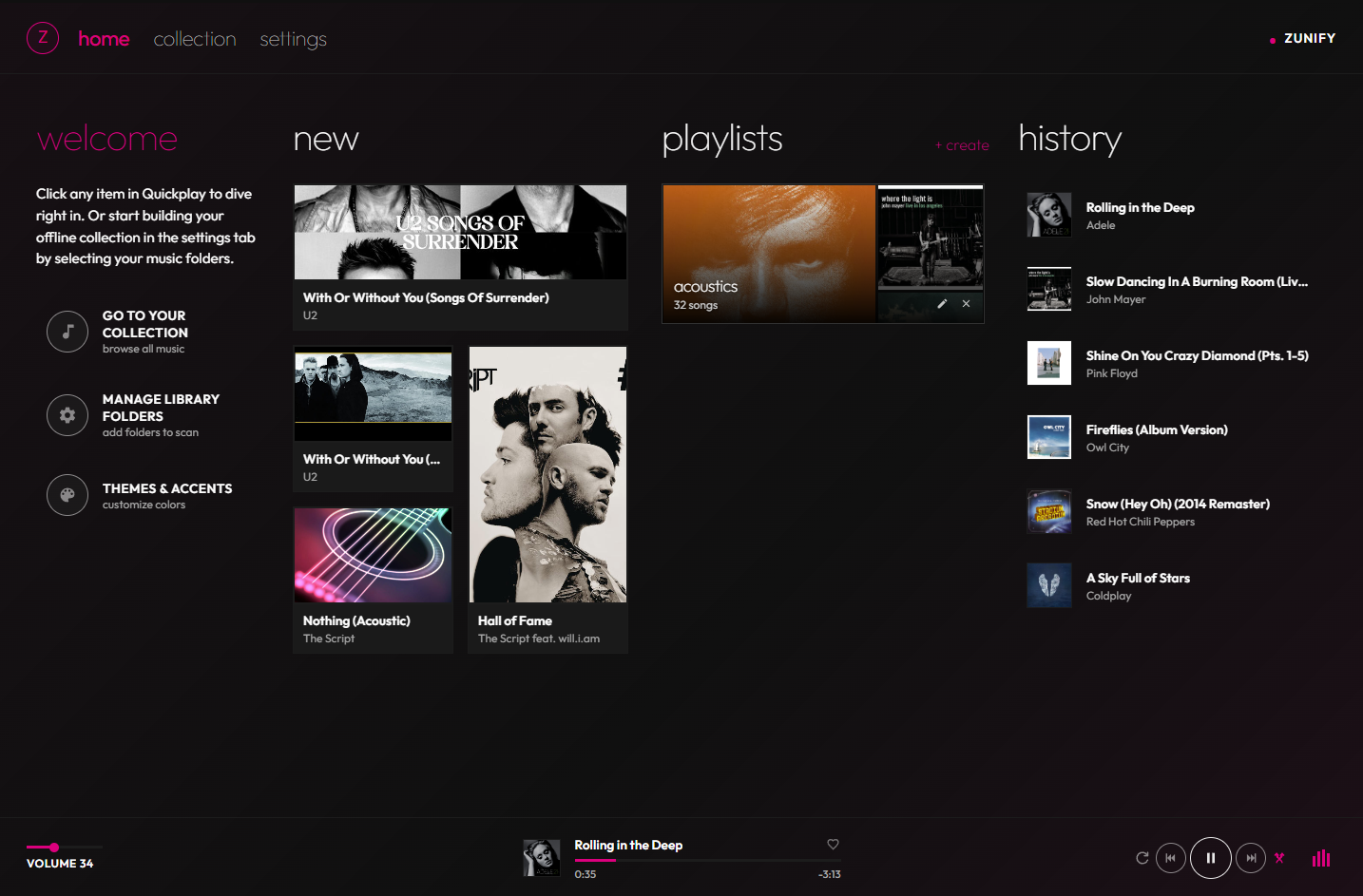
1. Home / Quickplay Hub
The starting screen provides rapid access to your playback history, most-played tracks, and favorited songs.
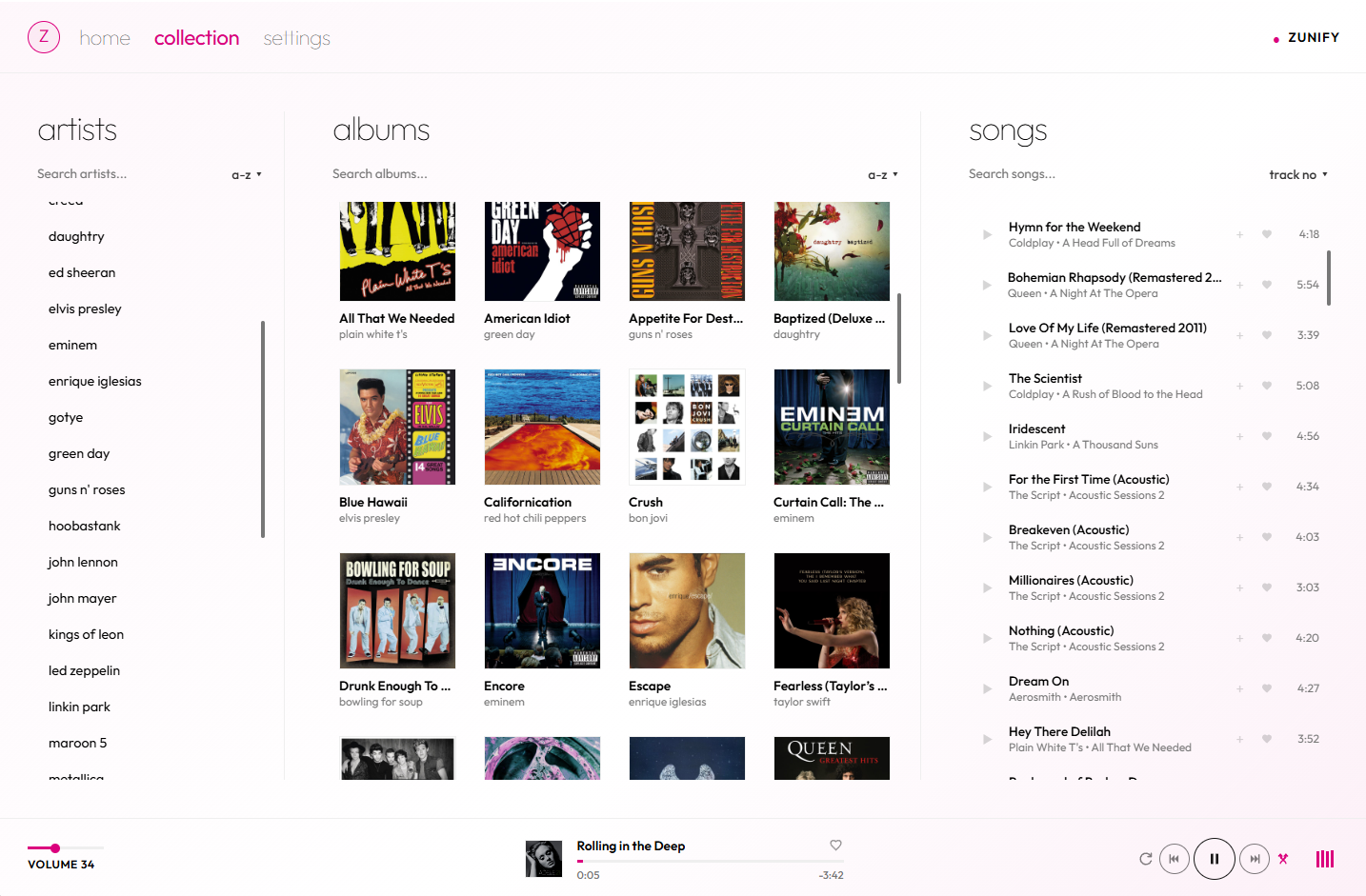
2. Music Collection & Navigation
Explore albums, artists, and playlists in a clean, typography-focused list layout inspired directly by the original Microsoft Zune client.
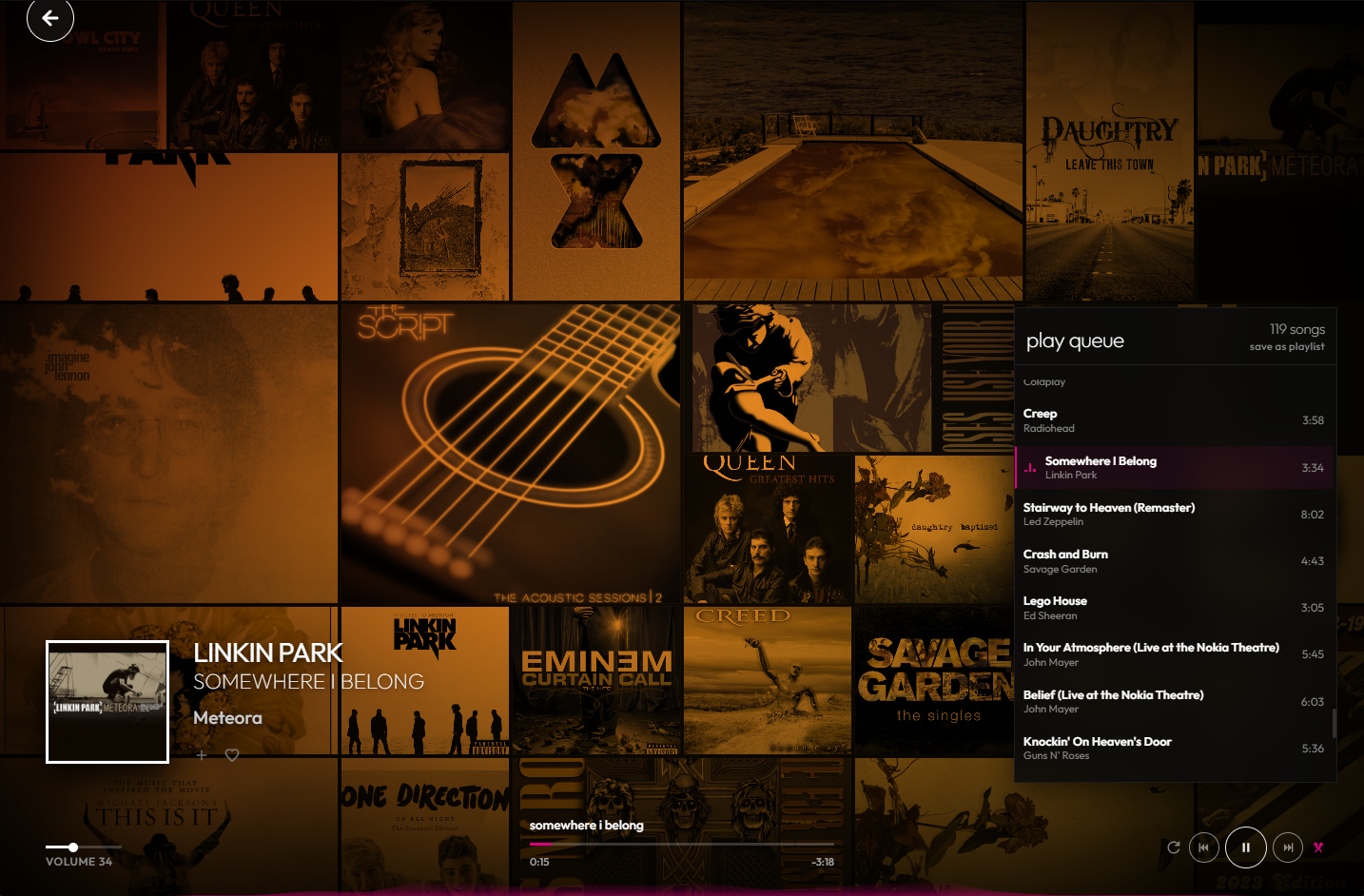
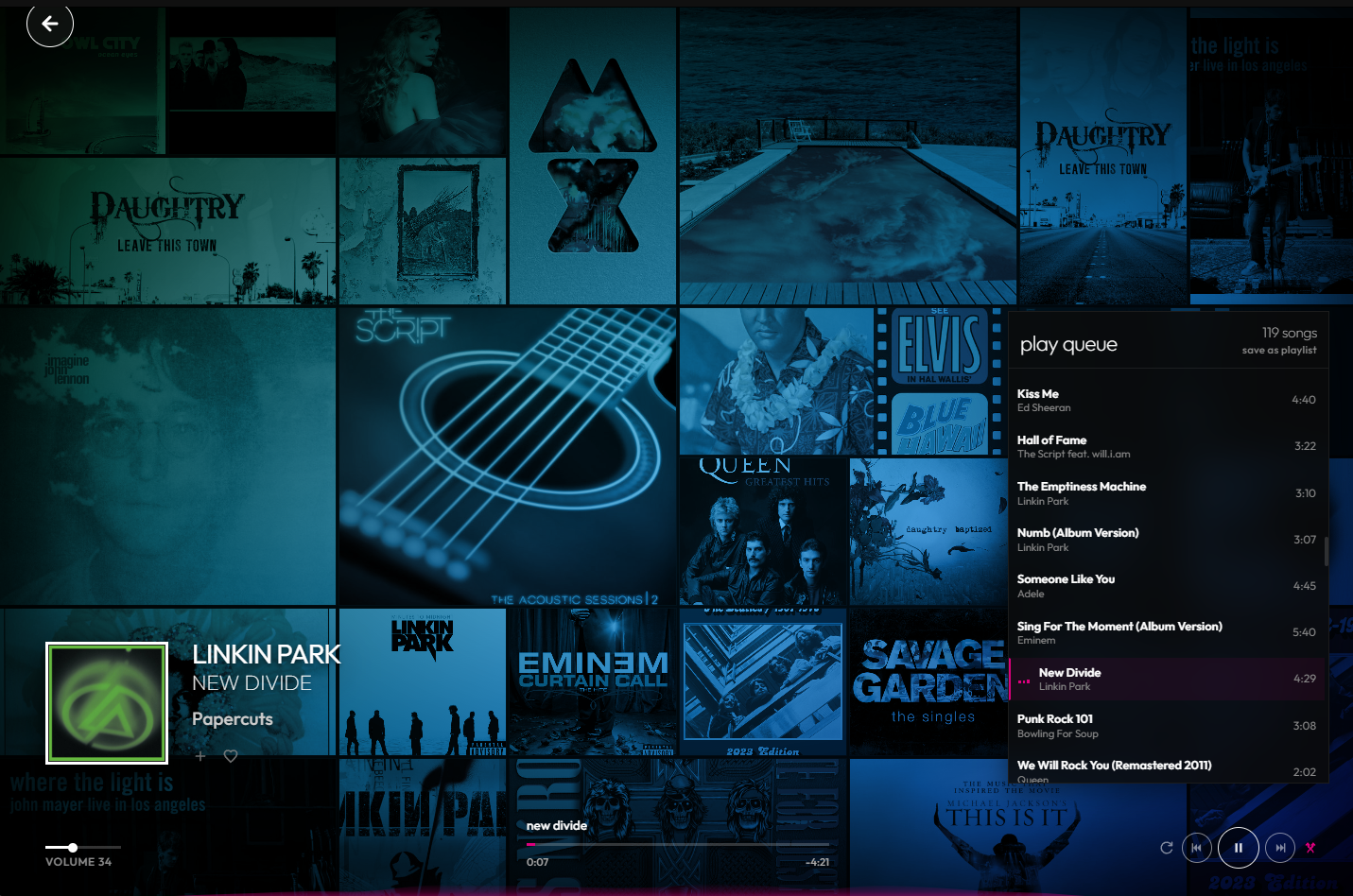
3. Now Playing Hub
Two different typography layouts that dynamically shift background colors based on album art colors.
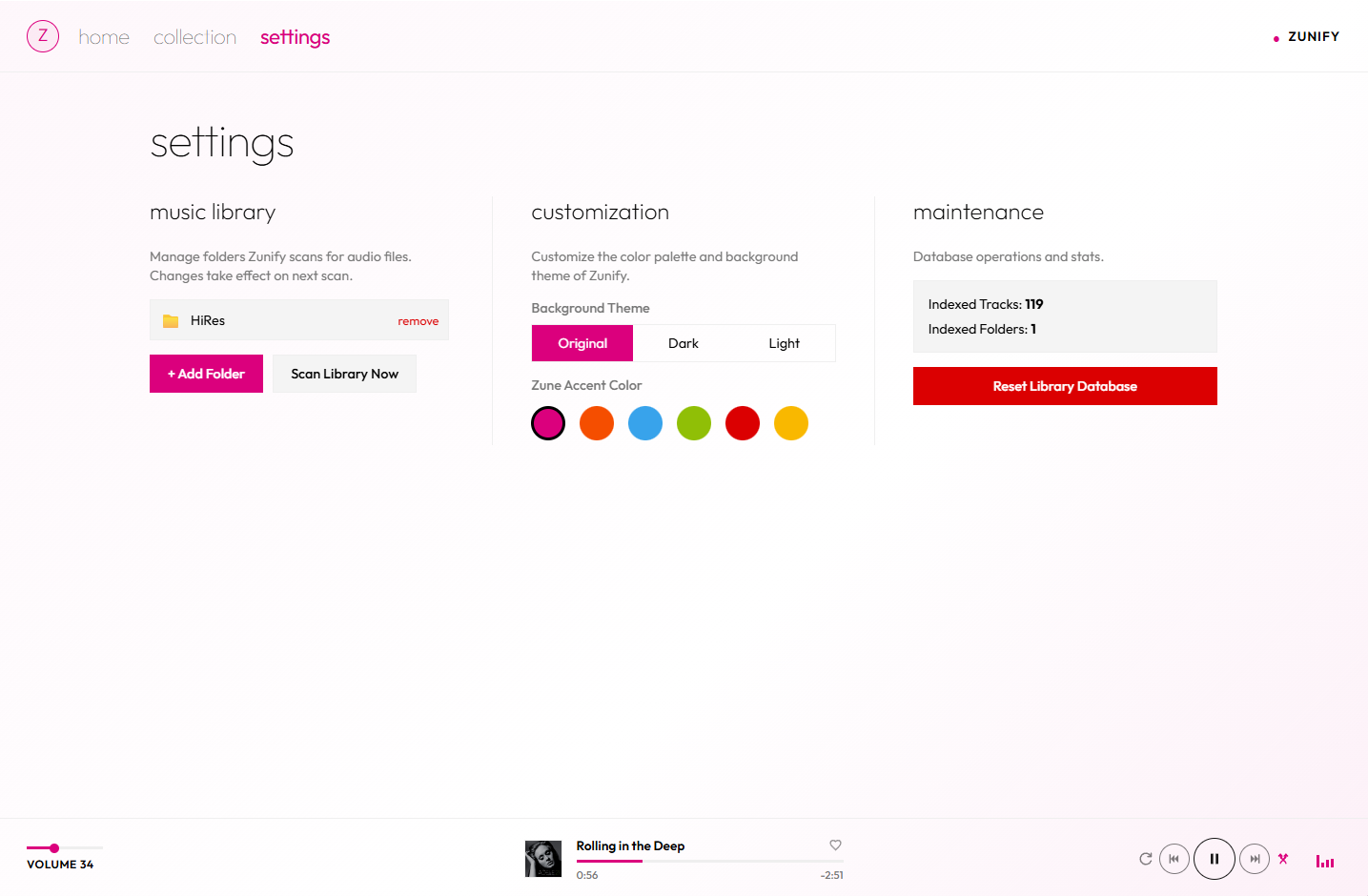
4. Settings & Directory Synchronization
Sync files using IndexedDB settings and file system permission checks.
The Core Architecture of Zunify
Unlike traditional music streaming sites or cloud-based players, Zunify requires no backend server. It executes entirely in your browser and reads music directly from your computer's filesystem.
To make this possible, Zunify relies on a modern web stack:
1. File System Access API
Normally, web apps can only interact with files through file picker inputs, requiring the user to re-select files on every load. Zunify uses the modern File System Access API (showDirectoryPicker) to request access to a local music directory.
Once granted, the app gains a persistent FileSystemDirectoryHandle. By storing this handle in IndexedDB, Zunify can request read permissions on subsequent launches, allowing users to load and play their local collection with a single click.
2. IndexedDB via Dexie.js
Scanning hundreds of audio files, extracting metadata, and loading cover art is CPU-intensive. To make subsequent loads instant, Zunify caches the library structure in IndexedDB using Dexie.js (a developer-friendly wrapper for IndexedDB).
Dexie indexes track titles, artists, albums, genres, and play counts, enabling sub-millisecond search queries, history tracking, and custom playlists directly in the browser's database.
3. Web Audio API & Metadata Parsing
Zunify uses music-metadata-browser to scan and parse audio files inside the browser. It extracts ID3v2 metadata, sample rate, bitrates, lyrics, and embedded album covers. Once parsed, the raw audio file handles are streamed directly to the HTML5 <audio> context, keeping the memory footprint exceptionally low.
Technical Spotlight: Implementing the File System Access API in Angular
Here is how Zunify registers and remembers directory permissions across browser restarts. When a user selects a folder, the directory handle is stored in IndexedDB:
import { Injectable } from '@angular/core';
import Dexie from 'dexie';

@Injectable({
  providedIn: 'root'
})
export class LibraryService {
  private db = new Dexie('ZunifyLibrary');

  constructor() {
    this.db.version(1).stores({
      settings: 'key',
      tracks: '++id, title, artist, album, genre, path',
    });
  }

  // Request directory access and save the handle
  async selectLibraryDirectory(): Promise<void> {
    try {
      const handle = await (window as any).showDirectoryPicker({
        mode: 'read'
      });

      // Store the directory handle in Dexie settings table
      await this.db.table('settings').put({ key: 'dirHandle', value: handle });
      await this.scanDirectory(handle);
    } catch (err) {
      console.error('Directory access rejected:', err);
    }
  }

  // Verify and request permission for the cached handle on app startup
  async verifyPermission(handle: FileSystemDirectoryHandle): Promise<boolean> {
    const opts = { mode: 'read' };
    if ((await handle.queryPermission(opts)) === 'granted') {
      return true;
    }
    if ((await handle.requestPermission(opts)) === 'granted') {
      return true;
    }
    return false;
  }
}
The Scanning Phase
Once directory access is granted, Zunify recursively walks the file tree. It inspects file handles, filtering for audio file extensions (.mp3, .m4a, .ogg, .flac):
async scanDirectory(directoryHandle: FileSystemDirectoryHandle): Promise<void> {
  const tracks: any[] = [];

  for await (const entry of (directoryHandle as any).values()) {
    if (entry.kind === 'file') {
      const file = await entry.getFile();
      if (this.isAudioFile(file.name)) {
        // Parse metadata on-device
        const metadata = await this.parseAudioMetadata(file);
        tracks.push({
          title: metadata.title || file.name,
          artist: metadata.artist || 'Unknown Artist',
          album: metadata.album || 'Unknown Album',
          fileHandle: entry // Save file handle to stream later
        });
      }
    } else if (entry.kind === 'directory') {
      // Recursively scan subfolders
      await this.scanDirectory(entry);
    }
  }

  await this.db.table('tracks').bulkPut(tracks);
}
Challenges in Building a Modern PWA Audio Player
Building a fully local media player inside a web browser comes with unique constraints:
1. File Permission Persistence
For security, the browser resets file system read permissions whenever the page is closed or reloaded. Although the FileSystemDirectoryHandle remains stored in IndexedDB, the user must explicitly click a prompt on startup to "grant read access" to the directory again.
Solution: Zunify implements a clean startup screen that prompts the user with a single "Sync Library" button to re-authorize the directory handle.
2. Audio Streaming from Local Handles
Browsers cannot directly link local file handles to an <audio> tag's src attribute.
Solution: Zunify resolves this by creating temporary Object URLs using URL.createObjectURL(file). When a track changes, Zunify revokes the old Object URL to prevent memory leaks, maintaining a clean heap footprint.
3. Native Media Session Integration
To make Zunify feel like a native desktop app, it integrates with the Media Session API. This binds global media controls (keyboard play/pause keys, headset controls, OS media notification overlays) directly to the browser's playback engine:
navigator.mediaSession.metadata = new MediaMetadata({
  title: currentTrack.title,
  artist: currentTrack.artist,
  album: currentTrack.album,
  artwork: [
    { src: currentTrack.coverUrl || 'assets/default-art.png', sizes: '512x512', type: 'image/png' }
  ]
});

navigator.mediaSession.setActionHandler('play', () => this.playbackService.play());
navigator.mediaSession.setActionHandler('pause', () => this.playbackService.pause());
navigator.mediaSession.setActionHandler('nexttrack', () => this.playbackService.next());
navigator.mediaSession.setActionHandler('previoustrack', () => this.playbackService.previous());
Why Offline-First Web Applications Matter
Zunify is more than a nostalgic tribute. It is part of a broader shift toward local-first software. With modern web APIs, you can build rich, interactive applications that:
- Run entirely on the client, incurring zero server cost.
- Require no internet connection, protecting user privacy from data tracking.
- Deliver native-app performance inside the browser sandbox.
If you want Metro-style Zune aesthetics or a concrete example of the File System Access API for offline-first apps, Zunify is open-source and open to contributions. Grab a local music folder, open Zunify, and try your library in a clean, typography-focused layout.